


Snapchat is a popular social media platform known for its ephemeral nature, allowing users to send photos and videos that disappear after they’ve been viewed. One of its features is the ability to create and manage groups to share content with multiple friends at once. However, if you’ve created a group and now want to delete it for any reason, you might find it a bit challenging to figure out how to do so. Don’t worry; we’ve got you covered. In this comprehensive guide, we will walk you through the step-by-step process of deleting a Snapchat group.
Why Delete a Snapchat Group?

Before we dive into the deletion process, it’s essential to understand why you might want to delete a Snapchat group. There can be various reasons, including:
- Privacy Concerns: You may no longer want certain individuals in the group to have access to your content.
- Clean Up Your Account: If your list of groups has become cluttered, it’s a good idea to remove groups you no longer use.
- Change of Interest: Your interests or friendships may have changed, making the group obsolete.
Now, let’s get into the nitty-gritty of deleting a Snapchat group.
Steps to Delete a Snapchat Group
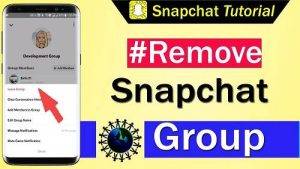
Follow these step-by-step instructions to delete a Snapchat group:
1. Open Snapchat
- Launch the Snapchat app on your device.
2. Log In
- If you’re not already logged in, enter your credentials and log in.
3. Access Your Chats
- Swipe right from the camera screen to access your chat list.
4. Find the Group
- Scroll through your chats and find the group you want to delete. Tap on it to open the group chat.
5. Group Info
- In the group chat, tap on the group name or the group icon. This will take you to the Group Info screen.
6. Manage Group
- Scroll down on the Group Info screen to find the “Manage Group” section.
7. Delete Group
- Tap on “Leave Group” to exit the group. Once you leave the group, it will be automatically deleted.
8. Confirm Deletion
- Snapchat will ask you to confirm that you want to leave the group and delete it. Confirm your choice.
9. Group Deleted
- Once confirmed, the group will be deleted from your account, and you will no longer have access to it.
Additional Tips
Here are some additional tips and information related to deleting Snapchat groups:
- If you created the group, leaving it will also delete it. However, if someone else created the group, leaving it will remove you from the group, but the group will still exist.
- After leaving or deleting a group, any chats, snaps, or content shared within the group will be lost, and you won’t be able to recover them.
- Deleting a group is permanent, so make sure you really want to remove it before confirming.
Also Read : How to Delete Drafts in Instagram
Watch This Video Guide
Deleting a Snapchat group is a straightforward process, but it’s essential to know the steps to avoid any confusion. Whether you’re looking to declutter your Snapchat account, maintain privacy, or simply move on from a group, following the steps outlined in this guide will help you achieve your goal. Remember that once you delete a group, there’s no going back, so proceed with caution.