

If you’ve decided to close your Venmo business account, whether because you no longer need it or you’re switching to a different payment processor, this guide will walk you through the steps to delete your account. Deleting your Venmo business account requires some preparation, but the process is straightforward.
Step-by-Step Guide to Deleting a Venmo Business Account
Step 1: Clear Outstanding Transactions
Before you proceed with deleting your Venmo business account, make sure there are no outstanding transactions. This includes any pending payments or money transfers. Follow these steps to ensure all transactions are settled:
- Check your Venmo balance: Make sure your balance is zero or that you’ve transferred any remaining funds to your linked bank account.
- Resolve any pending payments: Ensure that there are no pending payments or invoices on your account.
You won’t be able to delete your business account if there are outstanding transactions or negative balances.
Step 2: Contact Venmo Support
Venmo doesn’t allow you to delete a business account directly from the app. Instead, you’ll need to contact their support team to request the deletion of your business profile. You can reach them through the following methods:
Option 1: Via the Venmo App
- Open the Venmo app on your phone.
- Tap on the ☰ (three horizontal lines) in the upper-left corner to open the menu.
- Scroll down and tap Get Help.
- Tap Contact Us and select an option to reach out, such as Email Support or Chat Support.
Once connected with a support representative, request that they delete your Venmo business account.
Option 2: Via Venmo Website
- Visit the Venmo Contact Us page.
- Log in with your Venmo account credentials.
- Select Business Profile as the issue type.
- Choose the relevant option for account deletion and submit your request.
Step 3: Provide Necessary Information
When contacting Venmo support, be prepared to provide the following information:
- Business Profile Name: The name associated with your business account.
- Email Address: The email address linked to your Venmo account.
- Reason for Deletion: While this is optional, it helps Venmo understand why you’re requesting account deletion.
Once you’ve submitted your request, Venmo’s support team will begin processing your account deletion.
Step 4: Confirm Account Deletion
After contacting support, Venmo will review your request and confirm once your business account has been deleted. You may receive an email confirming that your account has been successfully removed.
- Check your email: Venmo should send you a confirmation email once your business account is deleted.
- Verify the deletion: Attempt to log into your business account to confirm that it has been successfully deactivated.
Step 5: Monitor for Any Final Transactions
After your account is deleted, make sure that there are no additional charges or pending transactions. If you notice any further activity, contact Venmo support immediately to resolve the issue.
Additional Considerations
Can I Delete My Venmo Personal Account at the Same Time?
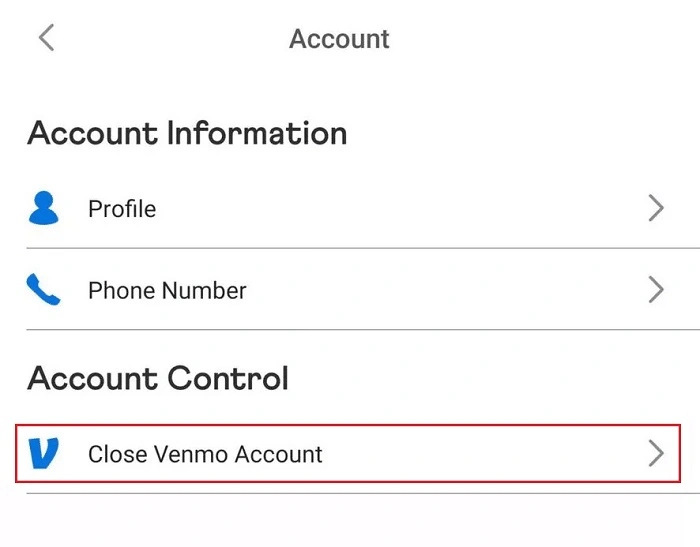
Deleting your Venmo business account does not automatically delete your personal account. If you also want to delete your personal Venmo account, you will need to follow a separate process. You can find more information on how to delete a personal Venmo account on their help page.
What Happens to My Funds After I Delete My Venmo Business Account?
Before deleting your business account, ensure that you withdraw all funds to your linked bank account. Once your account is deleted, any remaining funds may be lost, as you will no longer be able to access the account.
Will I Be Able to Reactivate My Venmo Business Account After Deletion?
Once your Venmo business account is deleted, it cannot be reactivated. If you decide to use Venmo for business again in the future, you will need to create a new business profile.
Can I Delete a Venmo Business Account That Is Still Active?
No, you cannot delete an active Venmo business account with ongoing transactions or negative balances. Ensure all transactions are cleared and balances are settled before proceeding with the deletion request.
FAQs About Deleting a Venmo Business Account
Can I delete my Venmo business account directly from the app?
No, Venmo does not allow you to delete your business account directly from the app. You need to contact Venmo support to request the deletion.
Will deleting my Venmo business account also delete my personal account?
No, deleting your Venmo business account does not affect your personal account. They are separate, and you’ll need to delete your personal account through a different process if desired.
How long does it take to delete a Venmo business account?
The account deletion process can take up to 7-10 business days, depending on Venmo’s support team workload and any necessary account checks.
Can I recover my Venmo business account after deletion?
No, once your Venmo business account is deleted, it cannot be recovered. If you want to use Venmo again for your business, you’ll need to create a new business profile.
Will Venmo refund any fees after I delete my business account?
Venmo does not provide refunds for any fees paid while using the business account. Ensure all transactions are settled before deleting your account.
Deleting a Venmo business account requires contacting Venmo support, as there is no direct option within the app to delete it yourself. Be sure to clear all transactions and withdraw any funds before requesting account deletion. Once your account is removed, it cannot be reactivated, so make sure this decision is final.