

If you’ve left a review on Amazon that you no longer wish to be visible whether it’s because you made an error, changed your mind, or simply want to remove it for privacy reasons this guide will show you how to delete your review. Follow these steps to quickly and easily remove a review on Amazon.
Step-by-Step Guide to Deleting a Review on Amazon
Log Into Your Amazon Account
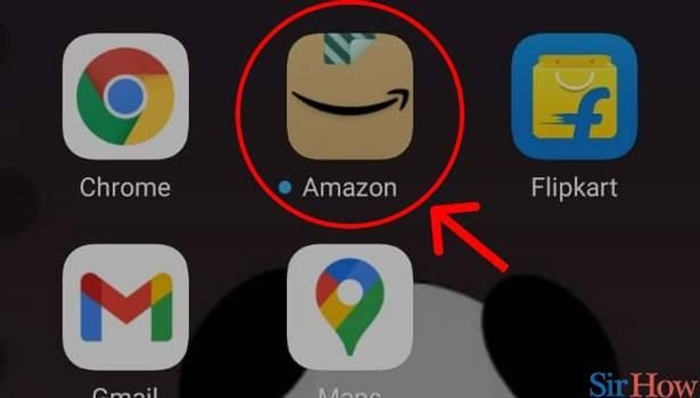
Start by opening your web browser and going to the Amazon website. Log in with the Amazon account that you used to post the review.
Go to Your Account
Once logged in, navigate to your Account by clicking on Accounts & Lists in the top-right corner of the page.
Access Your Amazon Reviews
From the Your Account page, scroll down to the Ordering and shopping preferences section. Click on Your Amazon Profile or Your Reviews under the Personalization section.
Alternatively, you can directly visit the following link: Amazon Reviews.
Find the Review You Want to Delete
On your profile page, you will see a list of all the reviews you have written. Browse through your review history or use the search bar to quickly find the review you want to delete.
Delete the Review
Once you’ve found the review you want to delete:
- Under your review, click on the three dots (ellipsis) next to the review.
- From the dropdown menu, select Delete Review.
- A confirmation prompt will appear, asking if you’re sure you want to delete the review. Click Delete to confirm.
The review will be removed immediately from Amazon.
Verify the Deletion
Once you have deleted the review, go back to your Amazon Profile to make sure it has been successfully removed. Refresh the page if necessary, and ensure the review is no longer visible.
Additional Considerations
Can I Edit My Review Instead of Deleting It?
Yes, if you simply want to update or edit your review instead of deleting it, you can follow these steps:
- Navigate to your Your Reviews section.
- Find the review you want to edit.
- Click on Edit Review next to the review.
- Make the necessary changes and then click Submit.
This will update the review while keeping it visible.
Will Deleting a Review Affect My Amazon Account?
No, deleting a review will not affect your Amazon account or the rest of your shopping history. It will only remove the specific review from public view.
How Long Does It Take for a Deleted Review to Disappear?
The deletion of your review is typically immediate, but it may take some time for it to be fully removed across all Amazon platforms and search results.
Can I Delete a Review I Didn’t Write?
No, you can only delete reviews that you’ve written. If you want to remove a review written by someone else, you would need to flag it for Amazon’s moderation team if it violates Amazon’s review policies.
Why Can’t I Delete My Review on Amazon?
If you’re unable to delete your review, make sure you’re logged into the correct account. If the option to delete isn’t appearing, try clearing your browser’s cache or using a different browser. If the review was written by someone else, you won’t have the ability to delete it.
FAQs About Deleting a Review on Amazon
How do I delete a review for an Amazon product?
To delete a review you’ve written for a product, go to your Amazon Profile or Your Reviews page, locate the review, and click the Delete Review option from the menu next to it.
Can I delete a review for a digital product or service?
Yes, the process for deleting reviews is the same, whether the review is for a physical product, digital product, or service on Amazon.
Can I delete a review on the Amazon app?
Yes, you can delete reviews on Amazon using the mobile app. Go to Your Account, select Your Reviews, and follow the same steps as on the website to delete the review.
Can I recover a deleted review on Amazon?
Once you delete a review on Amazon, it is permanently removed. If you change your mind, you will need to write and submit a new review.
Can Amazon remove a review on my behalf?
Yes, Amazon can remove a review if it violates their review policies (e.g., inappropriate language, fake reviews, or reviews that violate Amazon’s guidelines). You can flag a review for Amazon’s attention if you believe it violates these policies.
Deleting a review on Amazon is a quick and easy process that gives you control over your posted content. Whether you want to remove an outdated review, update your thoughts, or protect your privacy, following these steps will allow you to manage your reviews efficiently. Remember that once deleted, reviews cannot be recovered, so make sure you’re sure before you confirm the deletion.