


When your Samsung TV remote control’s volume buttons stop working, it can be quite frustrating. Adjusting the volume is a fundamental function, and when it fails to respond, it can disrupt your viewing experience. In this comprehensive guide, we’ll delve into the possible reasons why your Samsung remote volume isn’t working and provide you with step-by-step solutions to rectify the issue.
Understanding the Problem
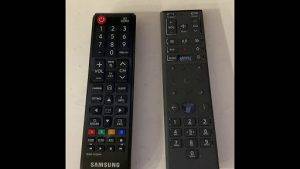
Before we dive into the solutions, it’s essential to understand why the volume control on your Samsung remote might be malfunctioning. There can be several factors contributing to this problem:
1. Battery Issues
- Weak or depleted batteries can cause erratic behavior in your remote control. If the volume buttons are unresponsive, it’s a good idea to check the batteries.
2. Remote Signal Problems
- Interference or obstructions between the remote and the TV can disrupt the signal, rendering your volume buttons ineffective.
3. Remote Control Malfunction
- Over time, remote controls can wear out or develop internal faults, including issues with specific buttons like volume up and down.
4. TV Software or Hardware Problems
- Sometimes, the problem might not be with the remote but with the TV itself. Software glitches or hardware issues can prevent the TV from responding to remote commands.
Now, let’s explore how to troubleshoot and resolve these issues step by step.
Troubleshooting Steps
1. Check the Batteries
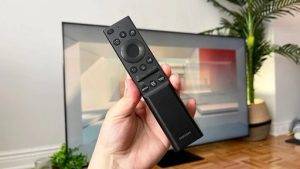
- Remove the battery cover on your remote and replace the old batteries with fresh ones.
- Make sure the batteries are inserted correctly, with the positive and negative ends aligned as indicated.
- Clean the battery contacts to ensure a good connection.
2. Test for Signal Interference
- Ensure that there are no obstructions between the remote and the TV. Clear any obstacles that may block the signal.
- Avoid using other electronic devices that could interfere with the remote’s signal.
3. Reset the Remote Control
- If the issue persists, you can try resetting your Samsung remote. To do this, press and hold the Power and Mute buttons simultaneously for 5 seconds.
- Once the remote is reset, test the volume buttons to see if they are now working.
4. Check the TV’s Volume Control
- If the volume buttons are still unresponsive, use the volume control buttons on the TV itself to determine if the issue is with the TV or the remote.
- If the TV’s volume control is working, it suggests a problem with the remote.
5. Try a Different Remote Control
- Borrow another compatible Samsung remote control or use a universal remote to test if the volume buttons work with a different remote.
- If the issue persists with a different remote, it’s likely a problem with the TV.
6. Check for Software Updates
- Ensure that your Samsung TV’s software is up to date. Sometimes, a software glitch can cause remote control issues.
- Go to the TV’s settings menu and check for software updates. If available, install the latest update.
7. Contact Samsung Support
- If none of the above steps resolve the issue, it’s advisable to contact Samsung’s customer support or visit an authorized service center for professional assistance.
Also Read : Roku Sound Out of Sync: Causes and Solutions
Watch This Video Guide
A malfunctioning Samsung remote control with unresponsive volume buttons can be frustrating, but with systematic troubleshooting, you can often identify and resolve the problem. Start by checking the batteries and ruling out signal interference. If the issue persists, consider resetting the remote, testing with a different remote, and ensuring your TV’s software is up to date. If all else fails, don’t hesitate to seek professional assistance from Samsung’s customer support or an authorized service center. With these steps, you can regain control of your TV’s volume and enjoy uninterrupted entertainment.